What the Pandemic Really Taught Us About Museum Apps
At MCN 2021 we shared app data from three museums. Several years on, that data tells a more complete story about what really drives adoption.

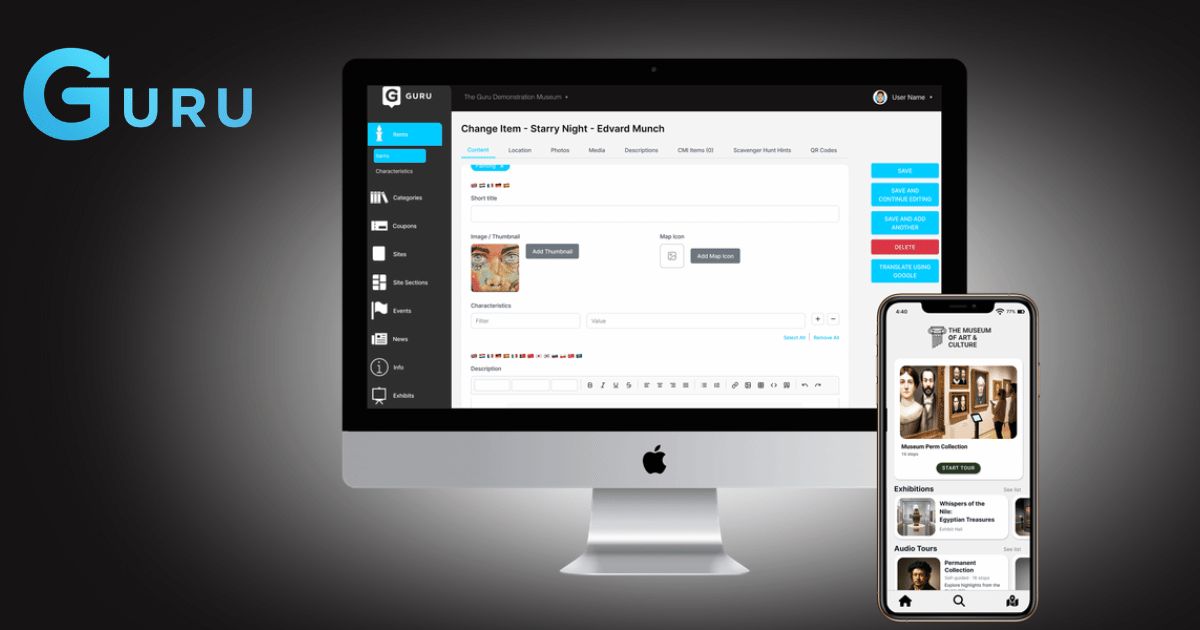


We have written before about why museum apps go stale. The usual diagnosis is budget or staff time. In our experience the more common cause is duller than that: updating the thing is annoying, so nobody does it.
An app that is awkward to edit gets edited before a launch and then never again. Six months later it is describing an exhibition that closed, and the team has quietly stopped mentioning it at the front desk. The content management system is not a back-office detail in that story. It is the whole story.
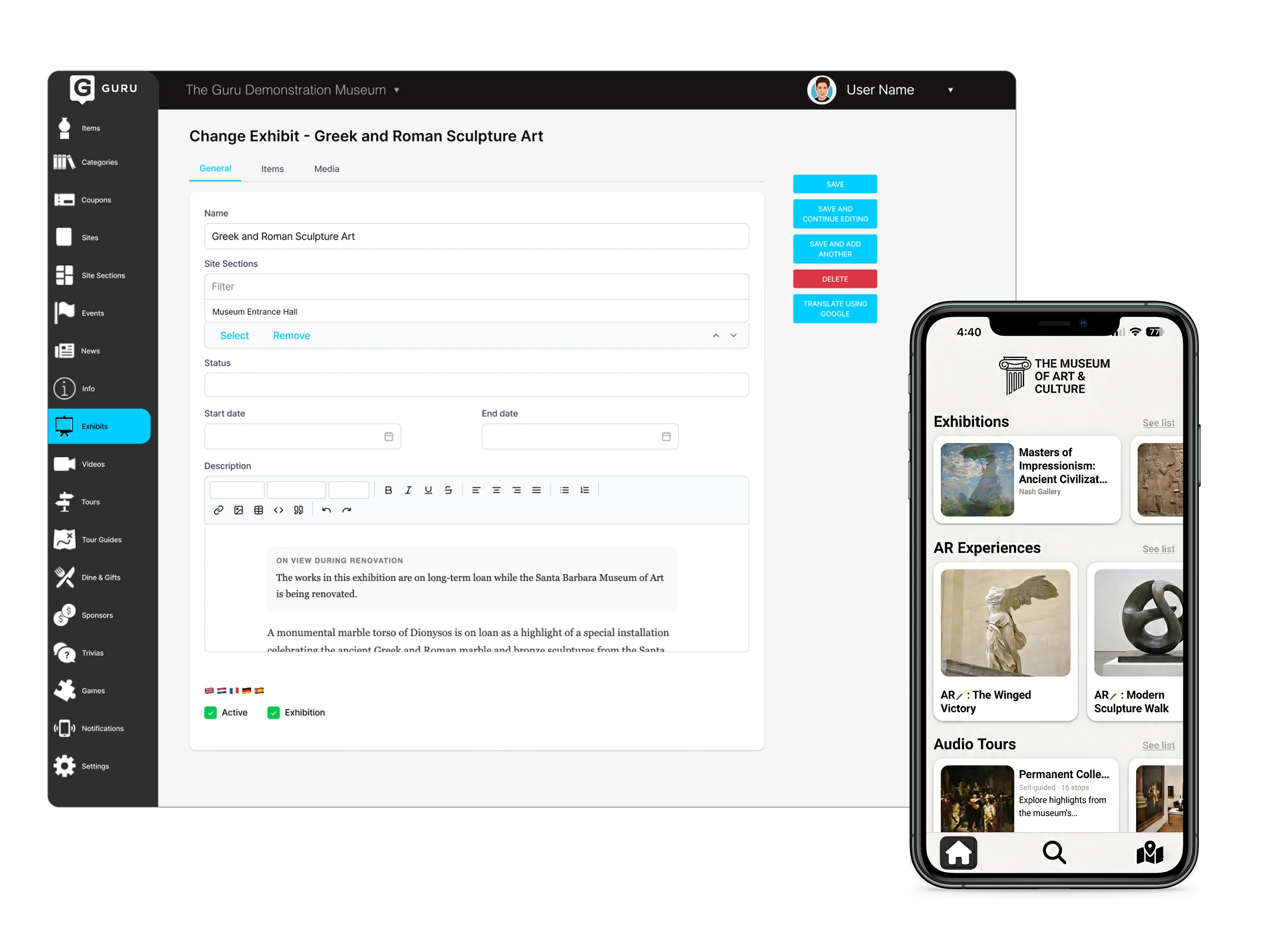
Most content management systems were designed to publish pages. A page is a self-contained thing with a title, a body, and a URL. That model is fine for a website and a poor fit for a visitor-facing app.
App content is not pages. It is stops tied to physical locations, audio attached to objects, tours that assemble those stops in different orders for different audiences, and content that behaves differently depending on where the visitor is standing. Trying to express that in a page-based CMS produces exactly the mess you would expect — and the person who suffers is whoever inherits it.
The practical test is whether a curator can add a new stop to an existing tour without asking anyone. If that requires a developer, the app will only ever be as current as your last development sprint.
This is the part vendors consistently get wrong. The person updating a museum app is rarely a full-time digital role. They are a curator, an educator, or a visitor services manager who has picked this up alongside their actual job.
That has a direct consequence: the system has to be learnable in an afternoon and re-learnable after three months away. A tool that requires fluency will lose it, because the person who was fluent has gone on leave and the person covering has never seen it.
It also means the failure mode is not “the team could not do it.” It is “the team did not get round to it,” which looks identical from the outside and has a completely different fix.
Analytics dashboards tend to lead with downloads, because downloads are easy to count. Downloads tell you about your marketing. They tell you very little about your content.
The numbers we find museums actually act on:
Favourites deserve a mention of their own. When a visitor saves something, they are telling you what mattered to them, unprompted and without a survey. That is a rare signal and most institutions do nothing with it.
An app that knows nothing about the rest of your operation is a brochure with a map. Connected to your membership, CRM, collections, or ticketing systems, it can do things a brochure cannot — engagement data that joins up with what you already know about a supporter, object records that flow into interpretation without being retyped.
We integrate with all of those. The useful question is not whether — it is what it takes, and that is where vendor feature lists stop being informative.
Two things determine the effort. The first is the other system’s API: how complete it is, how well documented, whether it exposes the data you actually need or only what its vendor thought you would want. The second is how custom your setup is. Institutions accrete their stacks over decades — a membership database from one era, a CRM from another, a collections system chosen by a department that no longer exists, and a decade of local modifications on top. Both factors are outside any app vendor’s control, and together they set the cost.
This is why “integrates with your systems” on a feature comparison tells you nothing. Every vendor can write it. What matters is whether they will scope your specific case honestly before you sign, or discover it during implementation.
Know which kind of integration you are buying. There is a real difference between surfacing another system inside the app and exchanging data with it. Framing in a ticketing page so visitors can buy without leaving is genuinely useful, and it is not the same as the app knowing which time slot someone holds. Both are legitimate; they cost very different amounts and solve different problems. If a vendor is vague about which one they are quoting, that vagueness is the answer.
What to ask. Which of our systems have you connected before, and to which versions? What did you need from the API that was not there? What did it cost, and what did the scoping look like? A vendor who has genuinely done this work will answer specifically. One who has not will keep talking about the feature list.
When you evaluate a platform, the demo will show you the app. Ask to see the back end instead, and ask to see someone who does not work for the vendor use it.
The app is what your visitors experience for a couple of hours. The CMS is what your team lives with for years, and it determines whether the app is still worth opening in eighteen months.
Behind the scenes of how we turn museum stories into interactive, accessible experiences - plus what we’re learning along the way